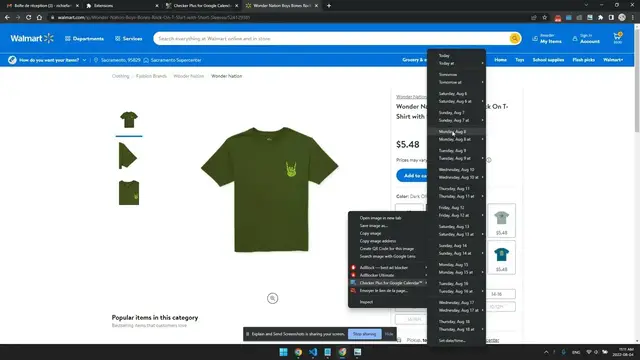

Add the page to your calendar with Checker Plus
Oct 14, 2022

* Right click anywhere on any web page and quickly add it to your calendar
ex. Right click your Gmail email to save it in your calendar
* It will create an event with the details of the current web page into the Source field
* Clear up your tabs to view them at a later date
* You can remove this menu by disabling the option General "Show context menu item on right click"
https://jasonsavard.com/wiki/Add_the_current_browser_tab_to_your_calendar
Show More Show Less #Hobbies & Leisure